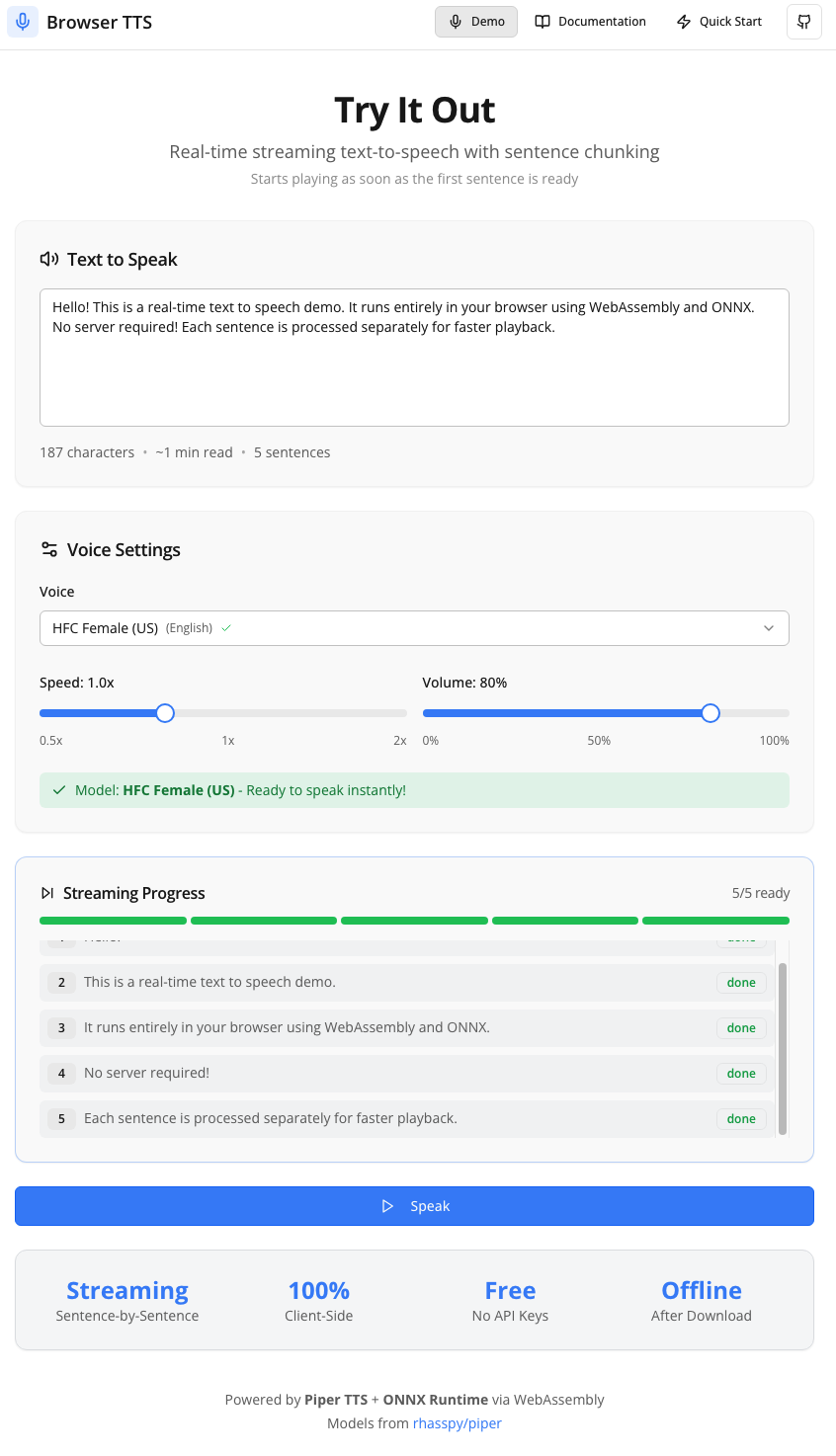
This project is a high-performance, browser-based text-to-speech system that runs entirely on the client. It leverages WebAssembly and ONNX Runtime to execute VITS neural TTS models locally, eliminating server costs and privacy concerns. The system supports streaming playback, where audio begins playing as soon as the first sentence is generated, while subsequent sentences are processed in parallel using WebAssembly threads.
Features
100% client-side processing with no server API calls
Streaming playback with parallel sentence generation
Multi-core acceleration via WebAssembly threads
Offline support with IndexedDB model caching
Eight built-in natural voices across four languages
Privacy-first architecture keeping data local
Quickstart
git clone https://github.com/davidbmar/Browser-Text-to-Speech-TTS-Realtime.git
cd Browser-Text-to-Speech-TTS-Realtime
npm install
npm run dev
The application is built with React 18 and TypeScript, bundled via Vite. It uses the @diffusionstudio/vits-web library for model inference, which compiles VITS models to WebAssembly. State management is handled by custom React hooks (useTTS) and TanStack Query. The UI is styled with Tailwind CSS and shadcn/ui components. Multi-threading is enabled via Cross-Origin Opener/Embedder Policies (COOP/COEP) to allow WebAssembly workers to accelerate generation.
How it runs
sequenceDiagram
    participant User
    participant ReactComponent
    participant UseTTS
    participant TTSEngine
    participant WASMWorker
    participant ONNXModel
    User->>ReactComponent: Click Speak
    ReactComponent->>UseTTS: speak(text)
    UseTTS->>TTSEngine: processText(text)
    TTSEngine->>TTSEngine: splitIntoSentences
    loop For each sentence
        TTSEngine->>WASMWorker: generateAudio(sentence)
        WASMWorker->>ONNXModel: infer
        ONNXModel-->>WASMWorker: audioBuffer
        WASMWorker-->>TTSEngine: audioBlob
        TTSEngine->>UseTTS: updateChunkStatus(ready)
    end
    UseTTS->>ReactComponent: triggerPlayback
    ReactComponent->>User: Play Audio
How to apply & reuse
Integrate the useTTS hook into any React component to add voice capabilities. Configure the voice ID, speed, and volume via options. The hook manages model downloading, caching in IndexedDB, and audio playback state. It is suitable for accessibility tools, interactive storytelling, or any web application requiring natural-sounding speech without backend dependencies.
At a glance
CapabilitiesReal-time neural speech synthesisParallel multi-sentence processingDynamic speed and volume controlPause, resume, and stop functionalityAutomatic model warm-up and cachingProgress tracking for generation and playback